
The best broker for forex robots beginners can use is a regulated one that runs MetaTrader 4 or 5, allows automated trading without restrictions, and accepts 0.01 lot trades on a $500 account. Cheap spreads and high leverage matter less than whether the broker's account type and rules match how your robot trades. Check those before you deposit a dollar.
TL;DR:
- Compatibility beats price: a robot that cannot place its orders on your account earns nothing, however tight the spread.
- Match the file to the platform: MT4 robots (.ex4) will not run on MT5 (.ex5), and your account must be the hedging or netting type the robot expects.
- US accounts follow FIFO and no-hedging rules, which break many grid and hedging robots. Europe and Australia cap retail leverage at 30:1 on major pairs.
- A slow trend-following robot barely notices a half-pip spread difference. A high-frequency one feels every tenth of a pip.
- Test on a demo for two weeks, then run one week live at 0.01 lots and compare fills before you scale up.
Table of Contents
- Pick the Robot's Needs First, Then Compare Brokers
- Platform and Account Type: MT4, MT5, Hedging or Netting
- Regulation by Region: What Changes for Your Robot in the US, Europe, Australia and Asia
- The Costs a Robot Feels That You Don't
- The Fine Print That Quietly Breaks Robots
- The Two-Week Test Before You Fund $500
- Free Downloads, Telegram Groups and Android: Where Broker Advice Goes Wrong
- Get Hands-Off Robot Trading on a Broker Account You Control
- Frequently Asked Questions
- Sources
Pick the Robot's Needs First, Then Compare Brokers

Most broker rankings sort by spread, bonuses and star ratings. A robot buyer needs a different order: first what the robot requires, then who can supply it. Think of a football squad. A brilliant striker is no use if the pitch has the wrong markings, and a robot is no use if the broker's account rules block its orders.
Which robot to run is a separate decision, and Robots for Beginners: What Actually Matters Before You Fund One covers it. This article assumes you have a robot in mind and asks whether a given broker will let it work.
Write down four facts about your robot before you open a single broker site:
- Platform and file type. MT4, MT5 or something else, and whether you have the source code.
- Order behavior. Does it open several positions on one pair, hedge, or use a grid?
- Trade frequency. Three trades a week or sixty a day.
- Smallest lot it can trade. Many robots default to a lot size far too big for $500.
Those answers eliminate most brokers within ten minutes.
Platform and Account Type: MT4, MT5, Hedging or Netting
Most retail robots, usually called Expert Advisors or EAs, are written for MetaTrader. If you want the mechanics, Forex EA Explained walks through how they trade. For broker selection, the file format matters most. A robot built for MT4 is an .ex4 file and will not load in MT5, which uses .ex5. Moving between them means recompiling from source code, and a robot you bought as a compiled file usually cannot be converted.
The second detail is account type. MetaQuotes documents that MT5 accounts can run in netting mode, where all trades on a symbol merge into one position, or hedging mode, where you can hold several positions, even opposite ones, on the same symbol. MT4 works in the hedging style by default. A robot that opens a second trade to average down, or hedges a losing one, expects hedging mode. On a netting account those trades merge into one position and the logic falls apart.
Before depositing, ask the broker one question in writing: "Is this account hedging or netting, and do you allow Expert Advisors with multiple open positions per symbol?" Keep the reply.
Regulation by Region: What Changes for Your Robot in the US, Europe, Australia and Asia
Regulation is usually pitched as a safety topic, and it is. For a robot owner it also changes what the software is allowed to do.
| Region | Regulator to check | Leverage for retail on major pairs | What it means for a robot |
|---|---|---|---|
| United States | CFTC and NFA | 50:1 | FIFO closing and no hedging; many grid and hedge robots cannot run |
| European Union | ESMA rules, applied by each country's authority | 30:1 | Negative balance protection for retail clients; hedging allowed |
| Australia | ASIC | 30:1 | Similar limits to Europe, with strict rules on marketing and risk disclosure |
| Asia | Varies by country | Varies widely | Confirm which legal entity holds your account and which regulator licenses it |
United States
The NFA requires US forex dealers to close positions first in, first out, and bars holding opposite positions in the same pair (NFA Compliance Rule 2-43(b)). Retail leverage is capped at 50:1 on major pairs under CFTC rules. If your robot opens two long trades on EUR/USD with different stop levels, the broker may close the older one first regardless of which stop you intended.
NFA Compliance Rule 2-43(b) means a US-regulated broker closes positions first in, first out, and will not let you hold a long and a short in the same pair.
Europe and Australia
ESMA's product intervention measures cap retail leverage at 30:1 on major pairs and require negative balance protection, so you cannot lose more than your account balance. ASIC applies the same 30:1 cap for major pairs to retail clients. Hedging is permitted, which suits more robot styles. The trade-off is that lower leverage lets a $500 account open fewer simultaneous positions.
Asia and offshore entities
Rules vary country by country. Many offshore entities advertise leverage of 500:1 or more, which is a warning sign for a beginner. Higher leverage lets a malfunctioning robot lose a $500 account in one bad hour. Check which company entity is on your account agreement and look it up on the licensing regulator's own register, not the broker's homepage.
The Costs a Robot Feels That You Don't
A person trading by hand pays the spread a few times a week. A robot can pay it dozens of times, so trade frequency decides how much a broker's costs matter.
At 0.01 lots on a $500 account, one pip on EUR/USD is worth about $0.10. At a 1.2 pip spread, each trade costs roughly $0.12 to enter.
A trend robot placing 3 trades a week at a 1.2 pip spread pays about $0.36 a week. A scalping robot placing 60 pays $7.20, which is over 1.4% of a $500 account every week.
The table compares two common account styles for a robot trading 20 times a week at 0.01 lots. The numbers are illustrative; commission rates differ by broker.
| Account style | Typical cost shape | Cost per trade (0.01 lot) | 20 trades a week |
|---|---|---|---|
| Standard, spread only | About 1.2 pips, no commission | $0.12 | $2.40 |
| Raw spread plus commission | About 0.2 pips plus $7 per round-turn lot | $0.09 | $1.80 |
The raw account is cheaper at this frequency, but the saving is about $0.60 a week. For a slow trend-following robot, spreads are noise. Execution quality matters more: how often your order fills at a worse price than you saw (slippage), and how the broker behaves around news releases. Swap charges matter if your robot holds trades for days, since the broker charges a rollover fee on overnight positions.
Pro Tip: Demo accounts fill orders instantly and flatter the results. After your demo run, open the same trade on a live account at 0.01 lots and compare the fill price, the spread at that moment and the time stamp. Do it once during a quiet session and once near the 5 p.m. New York rollover, when spreads often widen. If live fills are consistently worse by more than half a pip on a trend robot, the broker is not the right fit, whatever the demo showed.
The Fine Print That Quietly Breaks Robots
Most compatibility failures come from small settings nobody reads. Check these on the broker's contract specifications page:
- Symbol names. Some brokers add suffixes such as EURUSD.m or EURUSDpro. A robot coded for "EURUSD" will not trade, with no obvious error. Many robots have a suffix setting; confirm yours does.
- Minimum lot and lot step. You need 0.01 lots on a $500 account. If the minimum is 0.1, one trade carries ten times the risk you planned.
- Stop level. This is the minimum distance between the market price and a stop or take-profit order. A tight scalping robot can have orders rejected if it is set too high.
- Server time. Robots with session filters rely on the broker's server clock. If your broker's time is GMT+2 or GMT+3 and the robot assumes GMT+0, it trades the wrong hours.
- Written restrictions. Some brokers ban scalping, set a minimum holding time or limit open orders. Read the client agreement for these terms.
- Server hosting. A robot only trades while the platform is running. A home laptop that sleeps means missed trades, so a VPS is the usual fix. See How Forex Robots Work for what else interrupts them.
Watch also for a broker pushed hard by the robot's seller. Many sellers earn a rebate when you sign up through their link. That is not automatically bad, but the recommendation is then a sales choice, not a compatibility check. Run the same tests on it as on any other.
The Two-Week Test Before You Fund $500
Run this sequence in order. It costs nothing until step three.
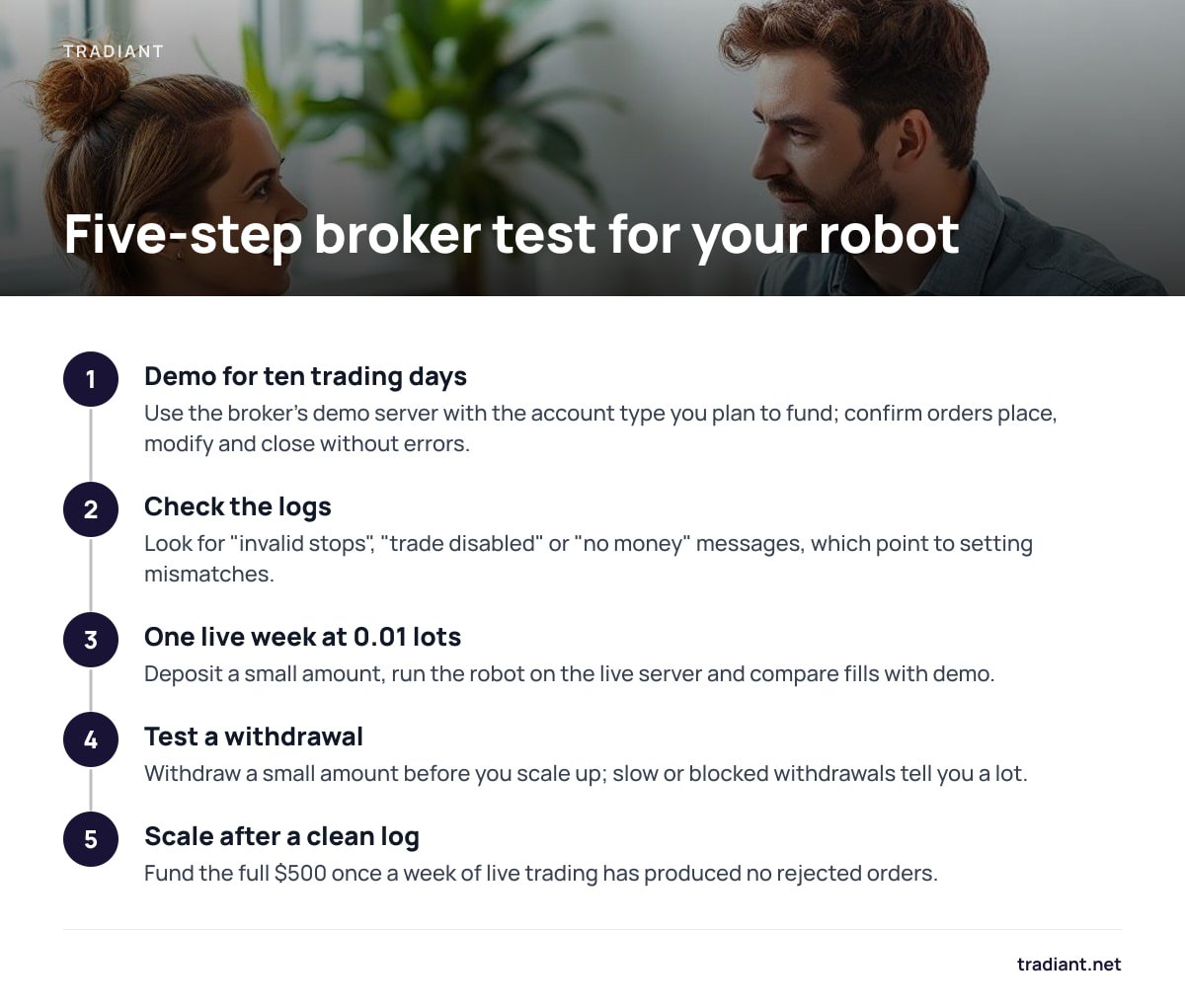
- Demo for ten trading days. Use the broker's demo server with the same account type you plan to fund. Confirm the robot places, modifies and closes orders without errors in the platform's Experts and Journal tabs.
- Check the logs. Look for "invalid stops", "trade disabled" or "no money" messages. Each one points to a setting mismatch, such as lot size or stop level.
- One live week at 0.01 lots. Deposit a small amount, run the robot on the live server and compare fills with demo.
- Test a withdrawal. Withdraw a small amount before you scale up. Slow or blocked withdrawals tell you more about a broker than any review.
- Scale only after the log is clean. Fund the full $500 once a week of live trading has produced no rejected orders.
If you are still weighing how much to start with, Trading for Beginners: How to Start Forex With $500 and Keep Control sets out the numbers.
Free Downloads, Telegram Groups and Android: Where Broker Advice Goes Wrong
Several common searches around this topic lead to the same traps.
- "Free download" robots. Cracked or free copies of paid robots often carry malware or altered code that sends your account details elsewhere. A free robot is fine if it comes from the platform's own marketplace or a developer you can verify.
- Telegram "best broker" groups. Group admins routinely earn commission on referred sign-ups. Treat their picks as ads and verify any broker on the regulator's register yourself.
- Android. The MetaTrader mobile apps let you watch and manage trades but do not run Expert Advisors. A robot needs a desktop or a VPS running 24 hours, and the phone is just your remote control.
- "Best for the USA." Check the FIFO and hedging rules above. A robot that works for a European friend may not run on a US account at all.
Get Hands-Off Robot Trading on a Broker Account You Control
Beginners tend to underestimate broker compatibility, and Tradiant is designed to remove it. Its managed service runs a rotating squad of trading robots, currently Goldenhawk, a trend-following robot, on your own broker account. Your money stays with your broker and you can see the live team sheet of active and benched robots. Accounts start from $500, you keep 80% of profits, and the 20% success fee is charged only on new profit above your previous peak. A losing month costs you nothing in fees, and there are no setup or monthly charges.
The service opens in early 2027, and it will work only with brokers that meet its technical requirements. Check the account type, platform and lot-size rules in our spec sheet before you open a broker account, or ask the team in live chat or on a free booked call. Like every robot, Goldenhawk can lose money, and a success fee does not change that.
Frequently Asked Questions
What is the best broker for forex robots for beginners?
The best choice is a regulated broker offering MetaTrader 4 or 5, a hedging account type, 0.01 minimum lots and written permission for Expert Advisors. Spread and bonuses come second. Confirm each point in the contract specifications and with the broker's support team before depositing.
Can I run a forex robot on a US broker account?
Yes, but US brokers follow NFA rules requiring first in, first out closing and banning hedging in the same pair. Robots that hedge, grid or hold several positions in one pair can break under those rules. Simple single-position trend robots usually work.
Do I need a VPS to run a forex robot?
Usually yes. The robot only trades while the platform is open and connected, so a laptop that sleeps or loses Wi-Fi misses trades. A basic VPS keeps MetaTrader running around the clock.
Can a forex robot run on an Android phone?
Not in the MetaTrader mobile apps, which let you view and manage trades but do not run Expert Advisors. The robot has to run on a desktop or VPS, and your phone can monitor it remotely.
Is a high leverage broker better for a $500 robot account?
No. Leverage lets a faulty or unlucky robot lose a small account faster. Europe and Australia cap retail leverage at 30:1 on major pairs, and a $500 account trading 0.01 lots rarely needs more than that.
How long should I test a broker before trusting a robot with real money?
Ten trading days on demo, then about a week live at 0.01 lots, plus a small test withdrawal. That sequence is long enough to catch symbol, lot size, server time and fill problems.
Sources
- MetaTrader 5 Trading Platform, hedging and netting account modes | MetaQuotes
- National Futures Association, forex dealer rules including Compliance Rule 2-43(b) | NFA
- ESMA, product intervention measures for CFDs and retail leverage limits | European Securities and Markets Authority
- ASIC, CFD product intervention order and retail leverage limits | Australian Securities and Investments Commission
- CFTC, retail off-exchange forex regulation | U.S. Commodity Futures Trading Commission
